
Desktop 3D Printer Ventilation: A Practical Filament Safety Checklist
Nuho AI-assisted editorial
Nuho Creative Team
Key Takeaways & TL;DR
- Heated filament can release ultrafine particles and volatile organic compounds.
- Use appropriate source ventilation and follow manufacturer instructions.
- HEPA filters target particles; gas and vapour controls need separate consideration.
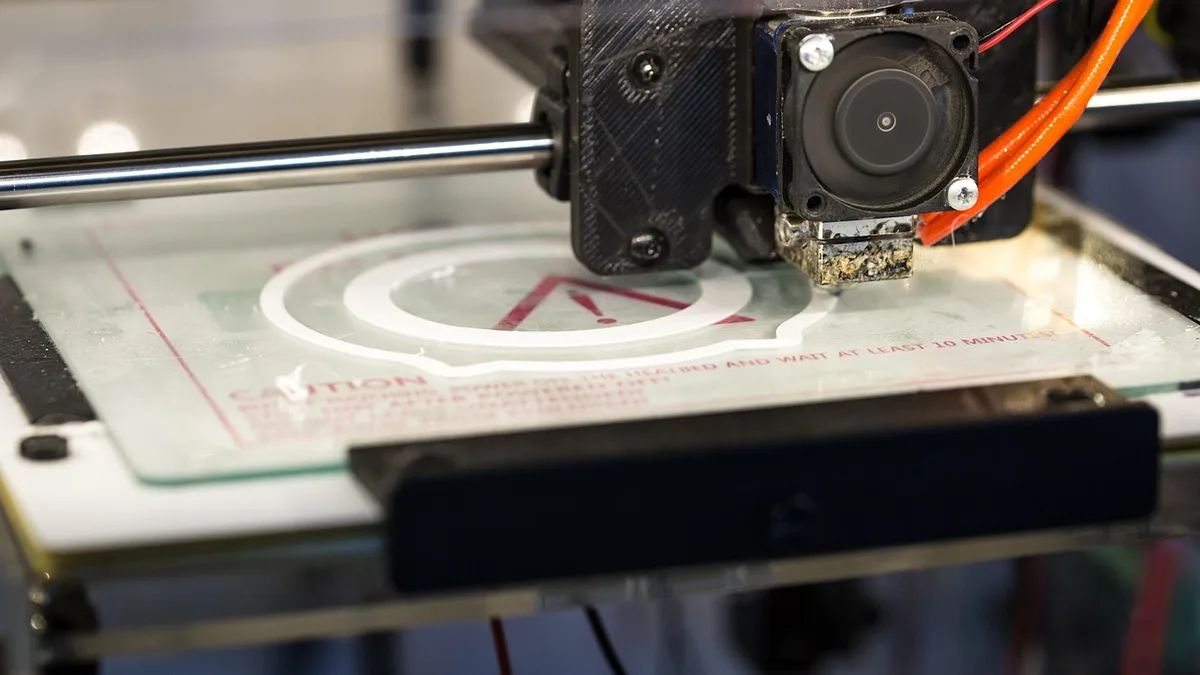
Close-up of a 3D printer creating a white circular shape on its build plate
Desktop 3D Printer Ventilation: A Practical Filament Safety Checklist
Short answer: Treat ventilation as part of a filament printer setup, even when printing PLA. Heated filament can release ultrafine particles and volatile organic compounds (VOCs), and emissions depend on the material, colour, temperature and printer.[1] Use a suitable enclosure and local exhaust where feasible, follow the printer and filament manufacturers’ instructions, and avoid spending unnecessary time beside a running printer.[1][2]
This guide concerns filament extrusion printers, also called FDM or FFF printers. It is a starting point, not a guarantee that any particular home or workplace setup is safe. For resin equipment, see Nuho’s separate resin printing safety guide.
What comes out of a filament printer?
Heating polymer feedstock can release both ultrafine particles and VOCs; NIOSH reports that filament formulation, colour, extruder temperature and other factors affect emissions.[1] An odour alone cannot establish whether the air is safe, and the emissions of one printer or filament should not be assumed to represent every combination. NIOSH notes that predicting workplace exposure from chamber measurements alone is difficult because rooms, ventilation and usage vary.[1]
PLA is not an exemption from ventilation precautions. Rather than relying on a material name, check the supplier’s safety information and the manufacturer’s instructions for your specific machine and filament.
Choose a location before starting
- Put the printer in a space where its emissions can be controlled, rather than beside someone’s regular work position. CCOHS recommends maintaining distance and avoiding long periods in the same room as a printer.[2]
- Use the manufacturer’s supplied controls and follow its operating and maintenance instructions.[2] A simple cover is not the same as a properly ventilated enclosure.[1][2]
- Prefer source capture, such as an appropriately designed ventilated enclosure with local exhaust, over assuming that a room fan alone solves the problem. NIOSH describes local exhaust and ventilated enclosures as engineering-control options.[1]
- If an exhaust is routed outdoors, have its design and discharge checked for the building and surrounding occupied spaces. For a shared workplace, ask a qualified ventilation or occupational-safety professional to assess the installation.
Understand what a filter does—and does not do
Particles and gases are different hazards. NIOSH describes local exhaust and high-efficiency particulate air (HEPA) filtration for controlling particulate emissions and discusses combined HEPA and charcoal filtration as a potential control for particles and VOCs.[1] A HEPA filter alone should not be presented as a VOC solution. Filter performance depends on the complete system, installation, maintenance and the pollutants involved; a box labelled “HEPA” is not proof that an installation is adequate.
A checklist for each print
- Before printing: Check the material’s safety data and printer guidance. Confirm that the enclosure and extraction equipment are operating as intended; keep air paths clear.
- During printing: Keep the enclosure closed as directed by its manufacturer, and avoid sitting next to the machine for the duration. Use a lower-emitting filament where appropriate and supported by reliable information.[2]
- If a nozzle jams: CCOHS recommends turning the printer off and allowing it to ventilate before removing the cover.[2] Follow the manufacturer’s safe shutdown procedure and remember that hot components can cause burns.[1]
- After printing: Follow the manufacturer’s instructions for ventilation and safe access. Do not assume a fixed waiting time is sufficient for every room and machine.
For maintenance beyond ventilation, compare the manufacturer’s directions with Nuho’s printer maintenance guide; avoid applying any general schedule blindly to a different machine. For finished gifts or stickers rather than a home-printing project, browse Nuho’s product catalogue.
Frequently asked questions
Is an open window enough?
An open window may provide some fresh air, but it does not by itself demonstrate effective capture at the printer. The appropriate controls depend on the installation; NIOSH discusses source capture using local exhaust and ventilated enclosures.[1]
Is PLA completely emission-free?
Do not assume that it is. Emissions depend on the particular material and operating conditions, and heated polymer feedstock can release particles and VOCs.[1]
Does a HEPA filter remove printer gases?
HEPA addresses airborne particles, not all gases. If VOCs are a concern, assess the whole ventilation system and the appropriate gas or vapour controls rather than relying on a particulate filter alone.[1]
Can I use this checklist for a resin printer?
No. Resin handling involves additional hazards and needs material-specific controls. Consult the resin supplier’s safety data and the separate resin guide linked above.
This AI-assisted guide summarises cited safety guidance; it does not describe a first-hand test or an inspection of your workspace.
Sources
[1] https://www.cdc.gov/niosh/docs/2024-103/pdfs/2024-103.pdf [2] https://www.ccohs.ca/newsletters/hsreport/issues/2016/08/ezine.html
Frequently Asked Questions
More Articles You Might Like
Inkjet vs Laser Printers: Real Cost Per Page in India
Inkjet vs laser printers in India, compared on real cost per page: ink tank, cartridge and toner maths, five-year totals, and the costs adverts skip.
Filament Drying and Storage in Indian Humidity
Dry PLA at 40–50 °C, keep every spool under 20% relative humidity, and stop stringing, popping and brittle prints through the Indian monsoon season.

3D Printed Jewellery in India: PLA+ Limits and What Works
3D printed jewellery in India, explained without hype: what PLA+ can wear, where it fails near 60 °C, and why printed trays, boxes and tags win.